
What AI Tool Can Change Clothes in a Photo?
If you want one browser tool that supports both uploading a specific garment photo and describing new clothes with text — without creating an account — start with Image2Image AI Clothes Changer (2 free 1K watermark-free runs per day, PNG/JPG/WEBP up to 24MB, paid plans from $9.90).
The right tool depends on how you supply the outfit: FASHN AI, Pincel, and FitRoom focus on two-image garment transfers with sign-up trial credits; Dreamina suits text-prompt styling inside CapCut; and Adobe Photoshop uses manual lasso masks for pixel-level touch-ups.
Upload Garment Photo OR Text Prompt
Drop a person photo (Slot 01) plus either a real garment image or a text prompt (Slot 02). Includes 2 free 1K watermark-free swaps daily with zero sign-up.
E-Commerce & Lookbook Try-On
Built for transferring store product shots onto model photos. Requires account creation with 10–20 starter credits; paid plans run $8–$19/month.
Manual Masking & Local Retouch
Lasso the exact shirt or sleeve boundary so surrounding pixels never move, then prompt Firefly. Best for desktop retouchers ($19.99/mo plan).
2 Free 1K Swaps/Day · No Login
Test real outfit changes immediately in your browser with no account wall and no watermark.
Garment Upload + Text Prompt
Transfer a flat-lay/hanger photo or type a new outfit style inside the same dual-slot cockpit.
PNG · JPG · WEBP up to 24MB
High-resolution portrait and garment uploads preserve facial geometry, hands, and lighting.
Plans Under $20/Month
$9.90 one-time pack (1,000 credits, ~200 1K swaps) or $9.90/mo Basic & $19.90/mo Pro.
Test AI Clothes Changing Right Here (2 Free Runs/Day)
Upload your own portrait and garment image (up to 24MB each), or click a preset below to switch between Garment Reference mode and Text Prompt mode.
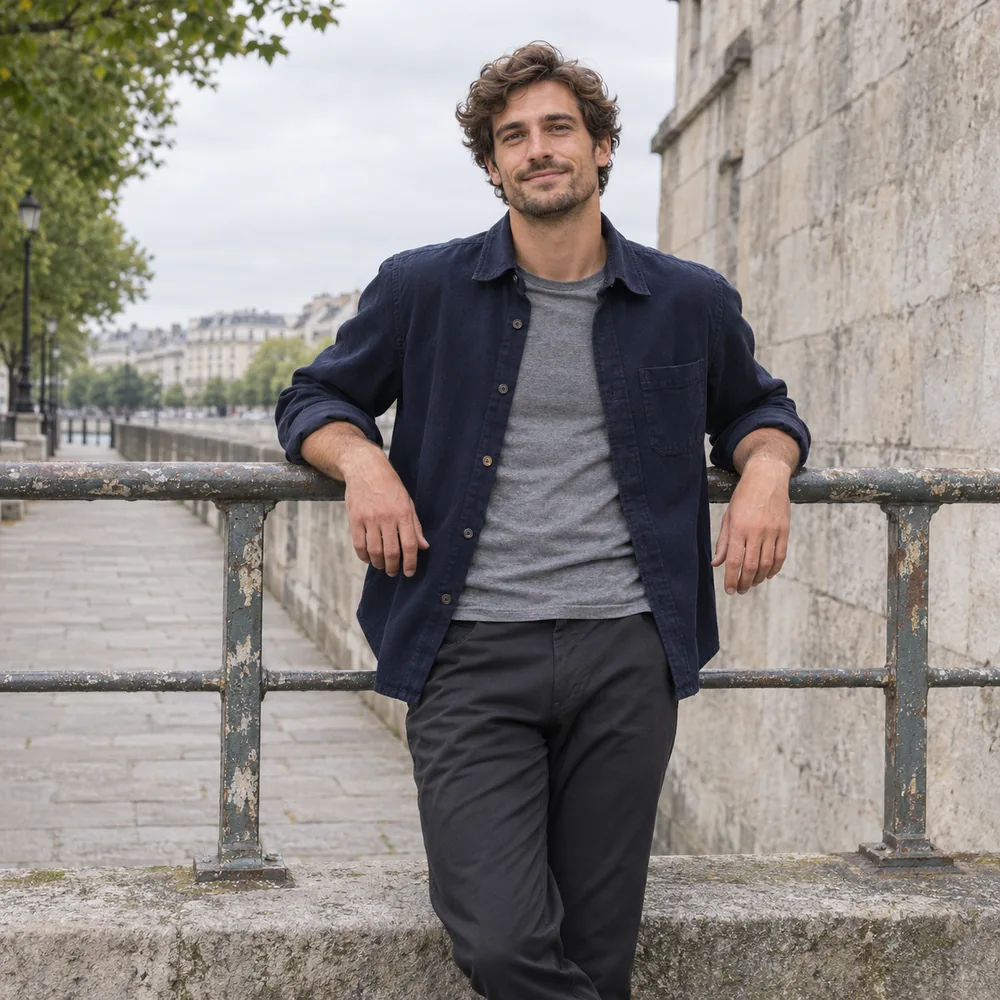 BEFORE
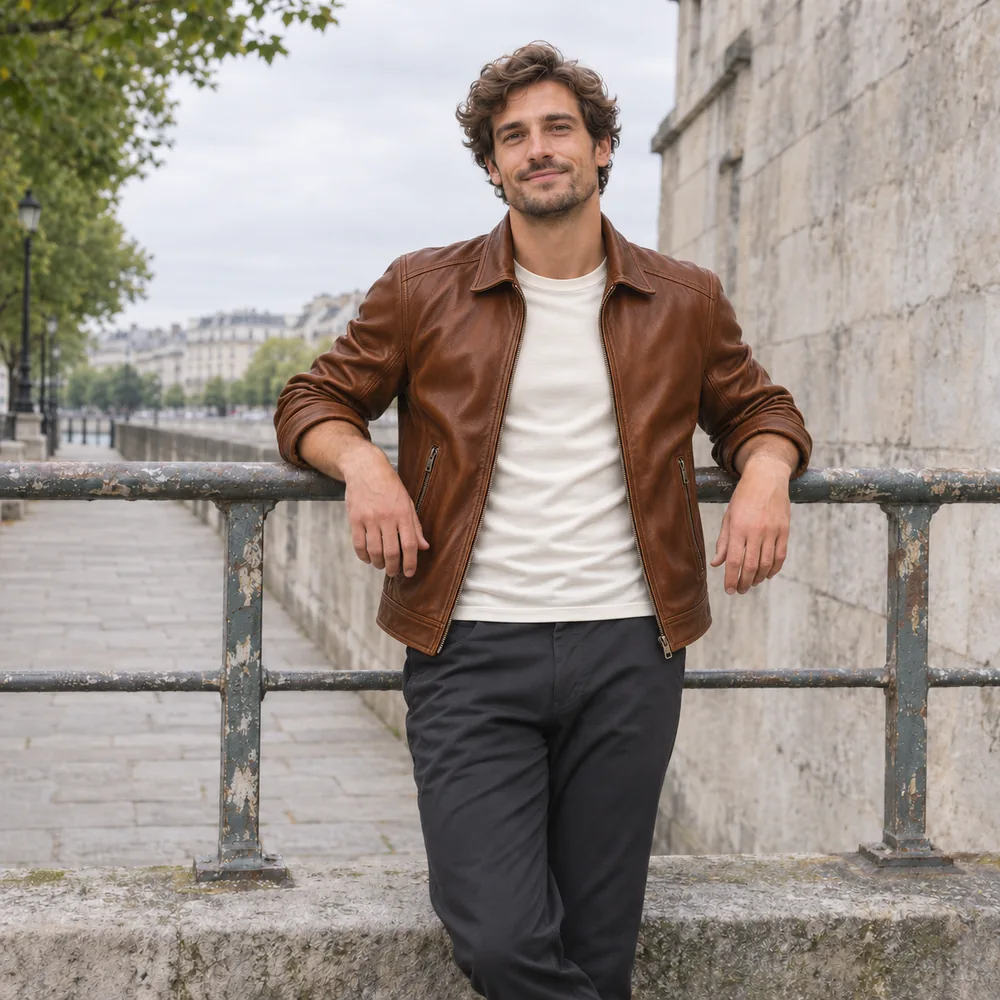
Outfit Ref
Leather Jacket
AFTERHow to Change Clothes in a Photo in 3 Steps
Works on desktop and mobile browsers with zero manual masking.
Upload a Person Photo (Slot 01)
Select a clear front or three-quarter portrait in JPG, PNG, or WEBP format up to 24MB.
Add a Garment Image or Text Prompt (Slot 02)
Drop a flat-lay, hanger, or product photo to transfer a specific item, or switch to Prompt to describe a new style.
Generate & Download Watermark-Free
Compare Before/After with Hold-to-Peek or the slider, then export a clean 1K (free) or 2K (Pro) file.
Best AI Tools for Changing Clothes in Photos Compared
Most general chat editors struggle to transfer an exact store garment, while specialized try-on apps often lock testing behind sign-up walls or watermarks. Built on our image to image AI engine, our dual-slot studio combines reference-garment transfer and text restyling in one place. Here is how the 6 leading options compare across input method, free quota, and sub-$20/month pricing:
Image2Image AI Clothes Changer
Best for no-login dual-mode swaps (garment photo + prompt)
2 images (Person + Garment up to 24MB) OR Person + Text Prompt
2 free 1K runs/day · No login · No watermark
Yes — $9.90 pack (1,000 cr) · $9.90/mo Basic · $19.90/mo Pro
Locks face, hands, posture & lighting; PNG/JPG/WEBP export at 1K & 2K
FASHN AI
Best for e-commerce on-model garment swaps & lookbooks
2 images (Person/Model photo + separate clothing image)
10 one-time free credits after account sign-up
Yes — Basic plan from $19/mo (200 credits/mo); Pro $49/mo
Strong garment structure transfer for fashion catalog production
Dreamina (CapCut)
Best for beginners testing outfit ideas via text prompts
1 photo + text description of the new outfit
Daily free credits with account (e.g. ~120/day in US; varies by region)
Yes — Basic plan renews around $15/mo (removes watermark)
Easy prompt restyling, though exact store garments cannot be uploaded directly as a dedicated try-on slot
Pincel
Best for quick browser garment swaps & brush retouching
2 images (Person photo + garment reference) or brush inpainting
20 one-time starter credits on sign-up (~2 credits/swap)
Yes — Creator plan at $19/mo (1,000 monthly credits)
Simple web interface paired with general object-removal tools
FitRoom
Best for mobile & web virtual wardrobe try-on previews
2 images (Model/Person photo + clothing item photo)
10 free credits/mo after sign-up (includes FitRoom watermark)
Yes — Standard plan around $8–$16/mo (~200 credits, no watermark)
Convenient iOS/Android/web closet organizer for shoppers and boutiques
Adobe Photoshop
Best for pixel-exact manual masking with Generative Fill
Manual lasso/object selection over clothing + text prompt
7-day free trial (Adobe account & app setup required)
Borderline — Photography Plan (1TB) at $19.99/mo (annual commitment)
Guarantees 100% untouched background outside your selection mask; text-driven rather than flat-lay transfer
Quick Match: Which Workflow Fits Your Goal?
4 Ways to Change Clothes in a Photo (Click to Test)
Whether you have a product photo of the exact garment or just an idea in mind, load any scenario below directly into the live studio.
Person Photo + Garment Reference → Natural Drape & Locked Face
Uploading a separate clothing reference transfers cut, collar structure, and material sheen onto your portrait while keeping facial features, hand posture, and stadium/street lighting intact.
BEFOREAFTERPut a Specific Outfit from Another Photo onto Someone
Drop your portrait in Slot 01 and a flat-lay, mannequin, or store product image in Slot 02 to preview how an actual garment drapes on your body.
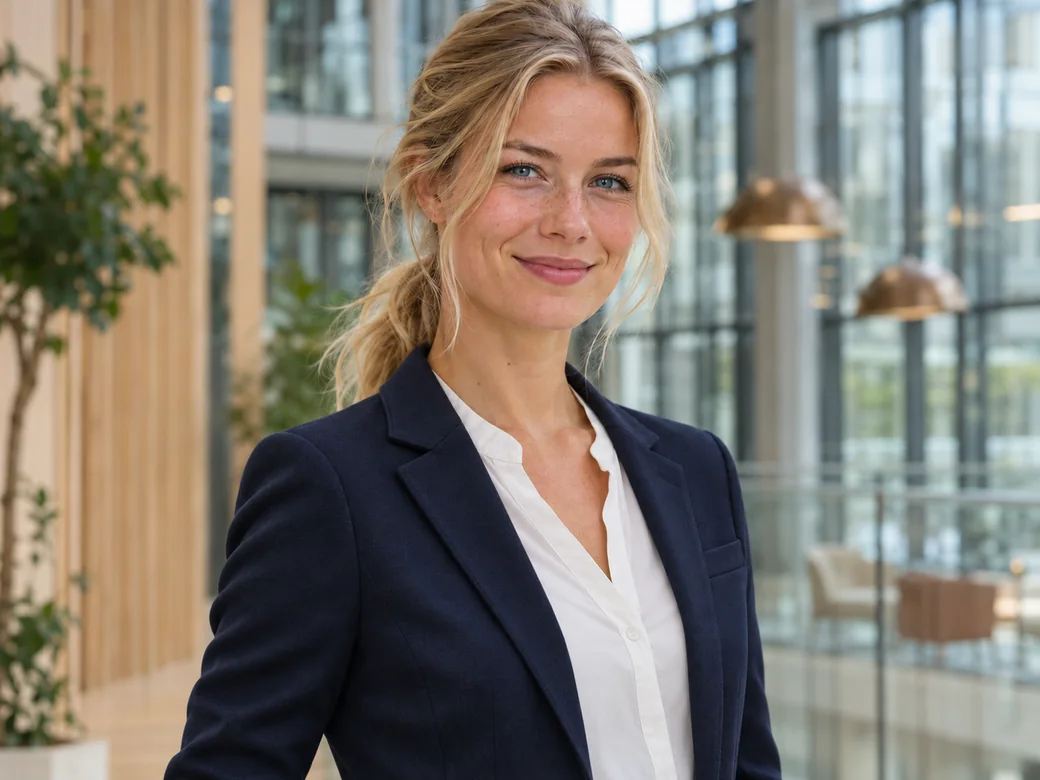
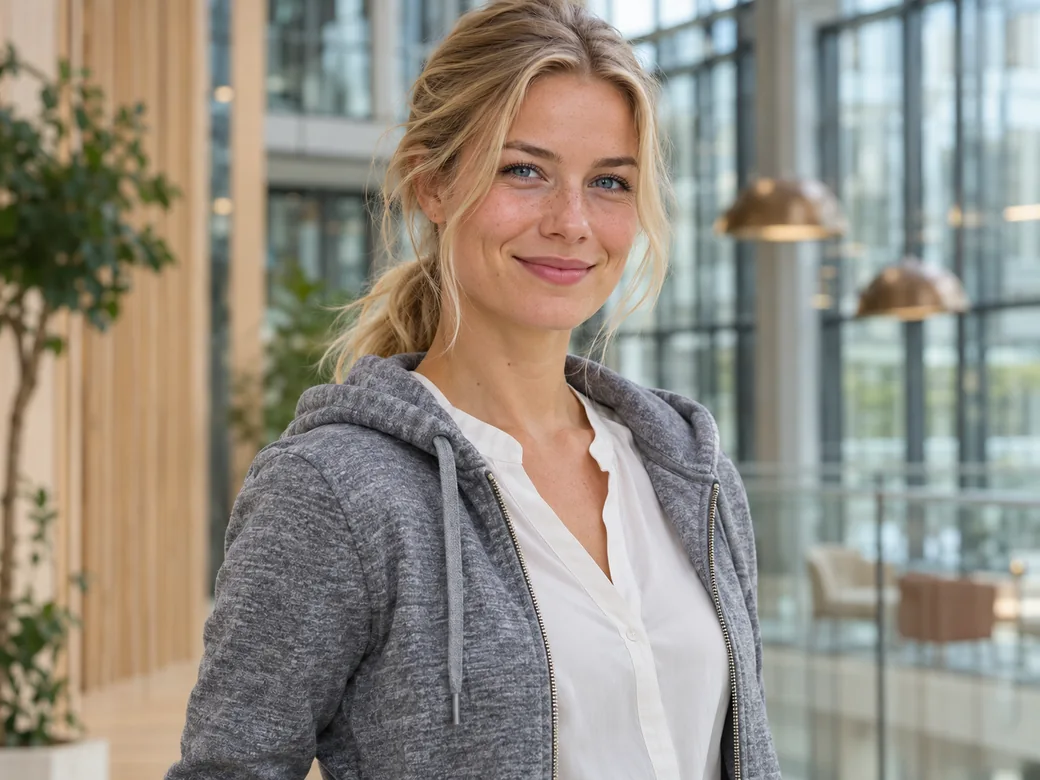
Describe New Clothes Using Plain-English Prompts
No garment photo needed — switch Slot 02 to Prompt and type "tailored navy blazer over crisp white blouse" to restyle casual snapshots for LinkedIn or creator profiles.
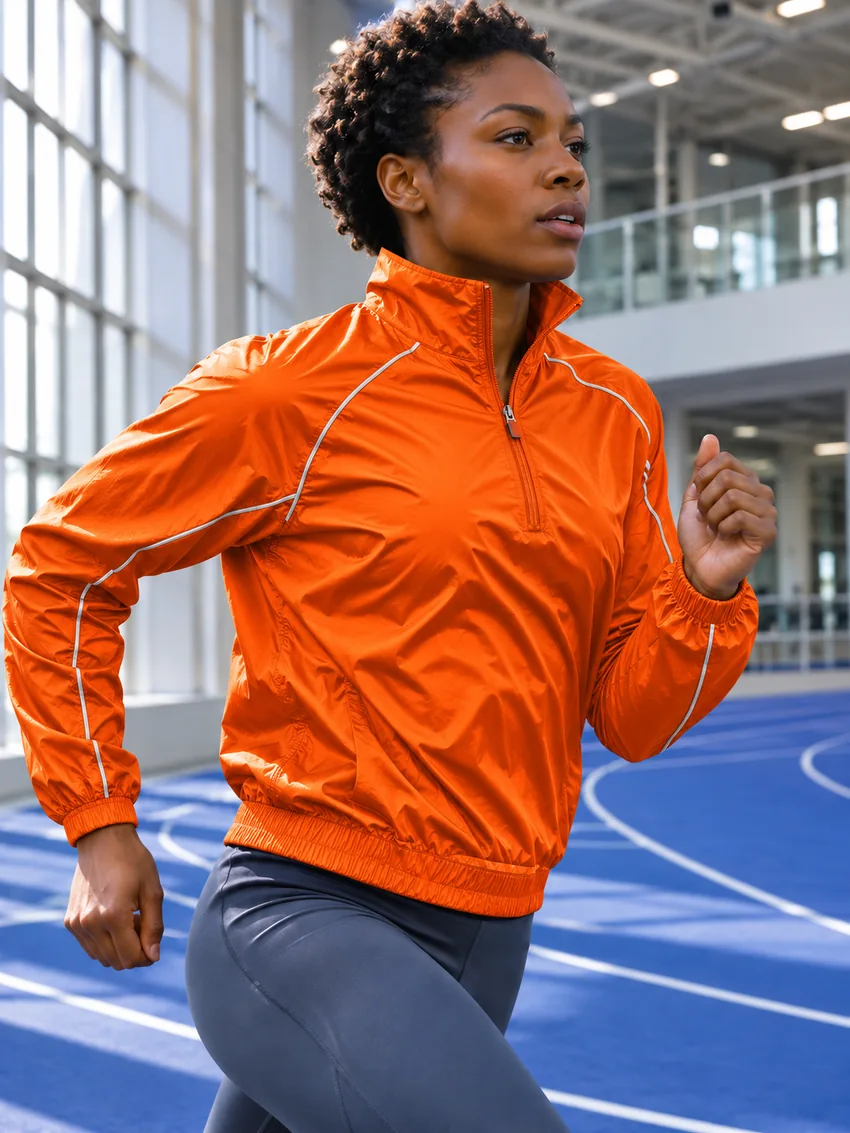
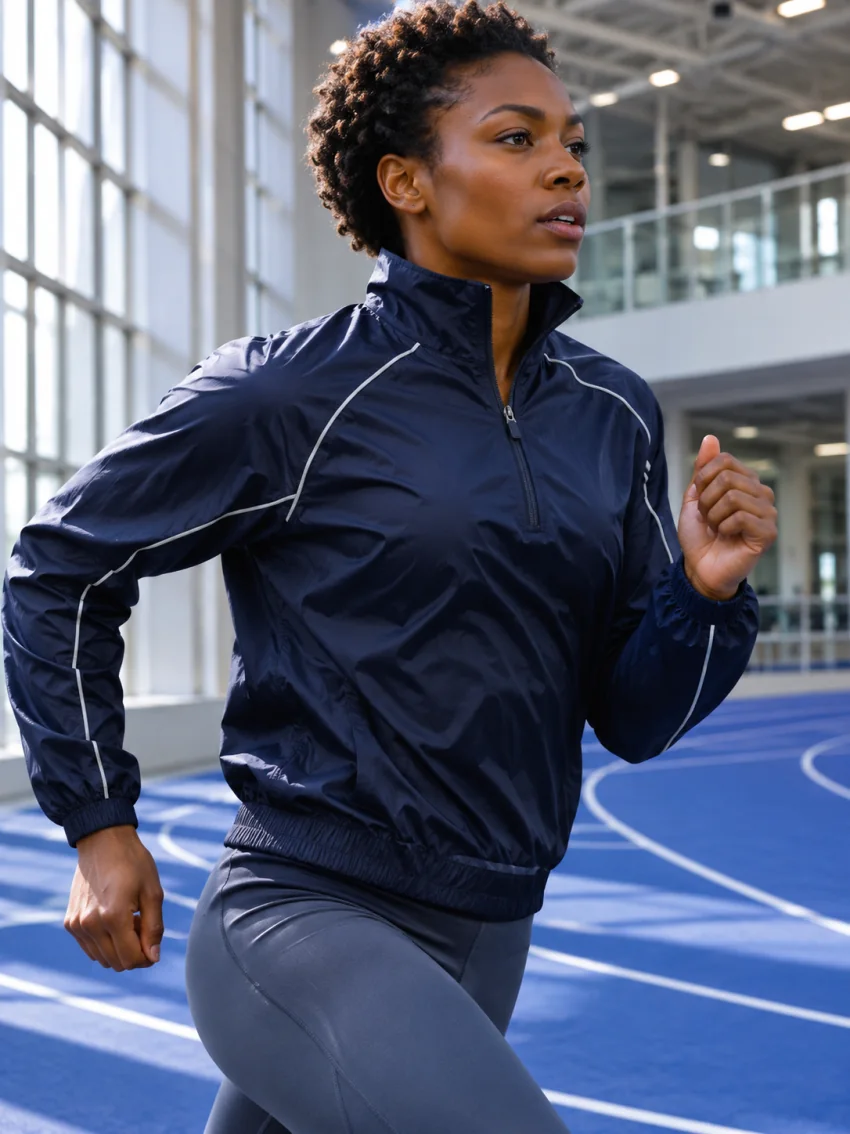
Change Only the Color or Material of Existing Clothes
Keep the exact jacket cut, zipper seams, and sleeve creases from your original photo while shifting navy nylon to sprint orange, linen, or cognac leather.

Replace a Top-to-Bottom Outfit in One Pass
Use a full-length or three-quarter standing photo and specify coordinated top and trousers (such as a warm-sand linen suit) while preserving shoes and street backdrop.
What Stays Locked vs Known AI Clothing Boundaries
Know what AI outfit changers handle reliably today — and where manual retouching or higher resolution still matters before you spend credits.
Preserved Reliably
- Facial identity, eye expression, hairstyle, glasses, and natural skin tone stay locked.
- Body proportions, shoulder line, hand placement, and camera perspective remain consistent.
- Solid colorways, plaids, stripes, denim weave, leather sheen, and natural sleeve folds adapt to scene lighting.
- High-res PNG, JPG, and WEBP inputs up to 24MB export cleanly without watermarks even on free daily runs.
Known Boundaries & Privacy Rules
- Tiny chest typography & intricate brand logos: AI synthesizes 3D fabric folds, so small printed text or micro-emblems on a shirt reference can soften or warp. Overlay vector logos afterward for strict e-commerce compliance.
- Heavy torso occlusion: Arms crossed tightly over the chest, large bags blocking the waist, or severe motion blur reduce seam accuracy.
- Local 24-hour privacy: Unauthenticated workspace history lives in your browser storage and expires after 24 hours. Only upload photos and garments you own or have permission to edit.
Frequently Asked Questions
Direct answers on dual-image clothes swapping, free daily limits, sub-$20 plans, and garment fidelity.