
AI Product Photo Editor for Ecommerce
Standard text-to-image models redraw entire packages and turn label text into gibberish. To turn smartphone snapshots into studio shots cleanly, use an AI product photo editor with low-denoising (0.2–0.4) img2img conditioning—and export on a paid plan for full Amazon and Shopify commercial rights.
Image to Image AI accepts JPG, PNG, and WEBP up to 24MB (up to 4 refs in Multi mode on /) with 2 free watermark-free 1K runs daily (00:00 UTC reset, no signup). Paid credit packs ($9.90 / 1,000 cr, 365 days) grant full commercial rights, while uploads auto-expire in 24 hours with zero third-party AI training.
0.2–0.4 Label Anchor
Keeps product silhouette and primary packaging anchored while upgrading backdrops.
Clear Commercial Rights
Paid credit packs & plans cover Amazon, Shopify, and paid social ads.
24h Privacy Auto-Delete
HTTPS/TLS encrypted; unreleased SKU photos are never used for AI training.
4K Zoom-Ready Upscale
Enlarge approved shots up to 4096×4096 px for 3–6 credits on our upscaler.
Test Your Product Snapshot Live (2 Free 1K Runs/Day)
Upload a daylight phone photo of your bottle, box, or accessory and start at 0.2–0.4 denoising strength to test studio lighting and shadows without signing up.
Upload Source Image
Studio Plinth (0.4)
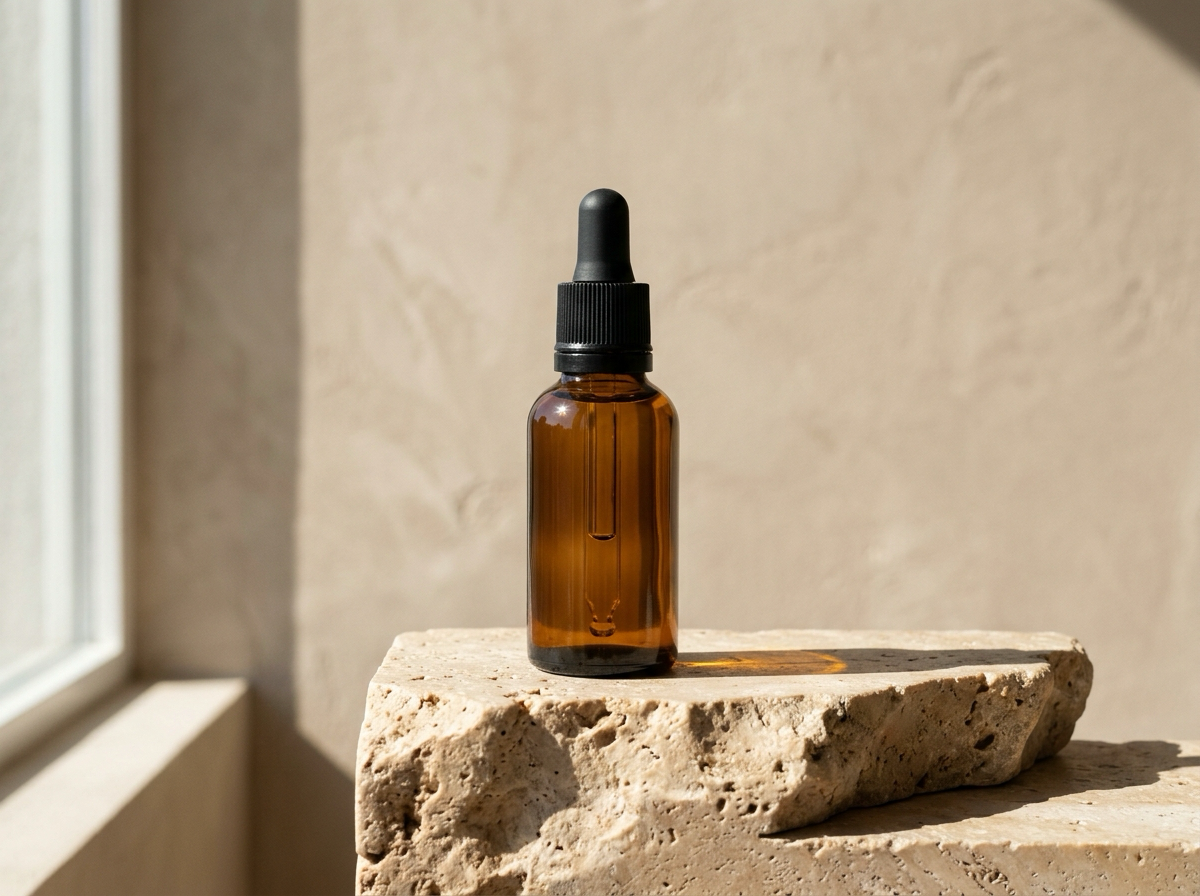
0.4 balances structure and edit — great for swapping materials, colors, or clothing while keeping pose.
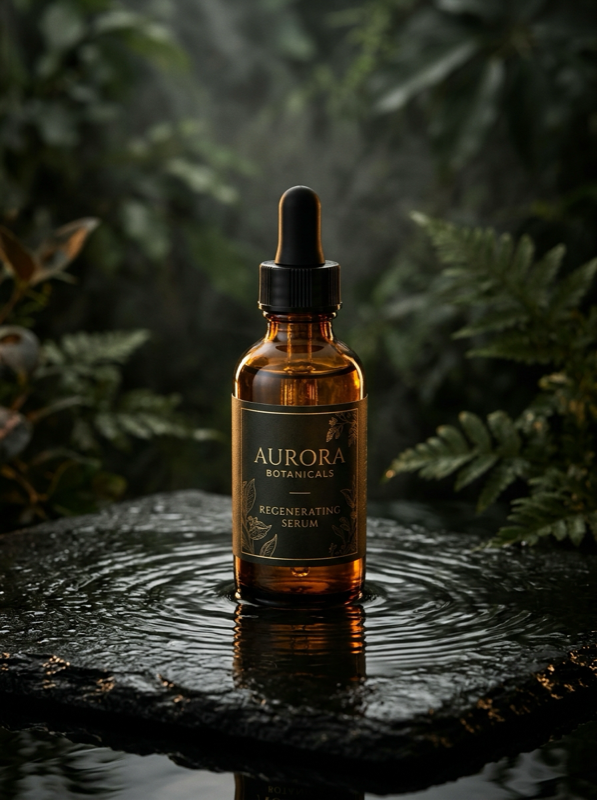
Compare 5 AI Product Photo Editor Workflows (2026)
Verified against public product specs and terms on 2026-11-21. Compare how each tool handles label fidelity, free vs. paid commercial rights, and recurring vs. one-time pricing.
| Platform / Workflow | Label Preservation Approach | Commercial Rights | Billing Model | Best Marketplace Fit |
|---|---|---|---|---|
Image to Image AI Low-Denoise Img2Img + Pay-As-You-Go | 0.2–0.4 calibrated denoising keeps container shape & front label anchored; Multi-Ref matches lighting across SKUs | Paid credit packs & subscriptions grant full commercial rights; free daily 1K previews are personal evaluation only | $9.90 one-time pack (1,000 cr, 365d) or from $9.90/mo | Best flexible AI product photo editor for Amazon & Shopify sellers wanting one-time packs, 24h auto-deletion, and 4K upscaling. |
Photoroom Cutout + AI Studio Backdrops | Isolates exact foreground pixels before wrapping studio shadows and backdrops around the cutout | Pro paid subscription required for full commercial usage | Monthly / annual subscription | Fast mobile-first pure white cutouts and quick batch background swaps for small sellers. |
Claid.ai Catalog-Scale E-Commerce Pipeline | E-commerce product isolation with automated 4K enhancement and color correction | Commercial rights included on paid business tiers | Monthly subscription / API volume plans | High-SKU retail brands running automated catalog pipelines via API. |
Photoshop Generative Fill Manual Masking & Layer Safety | Invert subject mask to generate only around the item; composite the original crisp label layer on top | Covered under commercial Creative Cloud subscriptions | Adobe monthly / annual subscription | Regulated supplements, micro-print ingredients, or flagship hero ads requiring pixel-exact manual compositing. |
Amazon Native AI Image Generator Inside Amazon Ads Console | Builds lifestyle secondary backdrops around your existing Amazon catalog image | Built for Amazon Ads compliance inside Seller/Ad Console | Included for active Amazon advertisers | Amazon-only sponsored ad creatives; not built for standalone Shopify stores or multi-channel catalogs. |
Amazon vs. Shopify Compliance & Commercial Rights Checklist
Holding commercial rights from your editing tool is step one; matching marketplace listing policies prevents suppressed listings and customer returns.
| Requirement | Amazon Listing Rules | Shopify & Social Ad Rules |
|---|---|---|
| Main / Hero Backdrop | Strict pure white background (RGB 255, 255, 255), product fills 85%+ of frame, zero badges, text overlays, or watermarks | Full creative freedom: travertine plinths, warm kitchen counters, seasonal props, and on-model lifestyle frames |
| Secondary & A+ Images | AI lifestyle scenes are permitted in secondary slots provided physical colors, scale, and included parts stay 100% accurate | Batch seasonal scenes, colorway previews, and editorial banners tailored to your storefront palette |
| Free vs. Paid Licensing | Never upload free-tier personal previews commercially; use paid credit packs ($9.90+) or active subscriptions for full commercial rights | Paid credit packs and subscriptions include watermark-free exports with commercial rights for storefronts, Meta, TikTok, and Google Ads |
| Zoom & Resolution | Export at 2K or upscale to 4K (up to 4096×4096 px via /ai-image-upscaler/) so Amazon zoom stays sharp | Keep consistent aspect ratios across collections and verify 100% zoom legibility before publishing |
Copyable Label-Lock Prompts for E-Commerce Shoots
Always declare locked packaging geometry and typography first, then describe the target backdrop surface and shadow direction.
Amazon Pure White Main Shot
Recommended strength: 0.2–0.3Keep the exact product shape, color, printed label text, and brand logo completely unchanged. Replace only the messy table background with a seamless pure white studio background (RGB 255,255,255) and a subtle natural contact shadow directly underneath the base.
Shopify Studio Plinth Shot
Recommended strength: 0.3–0.4Strictly preserve the product silhouette, proportions, and front label typography. Place the item on a warm matte travertine stone plinth with soft window-lit daylight, clean studio shadows, and a minimal neutral backdrop.
Seasonal Lifestyle Ad Scene
Recommended strength: 0.4–0.5Anchor the exact product packaging, color, and logo without distorting typography. Surround the product with warm golden-hour sunlight, subtle linen fabric texture, and soft botanical shadows for a clean editorial e-commerce campaign shot.
How to Use Our AI Product Photo Editor Without Losing Labels
A repeatable 3-step browser workflow from bright window phone shots to zoom-ready commercial exports.
Shoot in Bright, Even Window Light
Turn off camera flash to avoid blown-out glare across glossy labels, leave ~20% margin for grounded shadows, and upload JPG, PNG, or WEBP up to 24MB.
Run Low-Denoising Backdrop Replacement
Start at 0.2–0.3 for pure white Amazon backdrops or 0.3–0.4 for stone plinth scenes. For consistent multi-SKU lighting, pair your SKU with one shared lighting reference in Multi mode on /.
Inspect at 100% Zoom & Export Commercially
Verify logo and color accuracy at 100% zoom, upscale to 4K (3–6 credits) on /ai-image-upscaler/ when needed, and generate final store assets using paid credits for full commercial rights.
Before-and-After Examples for Store Catalogs
Use one shared credit wallet across studio background staging, dual-slot apparel try-ons, and 4K product upscaling.
Phone Snapshot → Studio Plinth Product Shot
Anchors container geometry and front branding while adding diffused softbox highlights and grounded plinth shadows.
Standard Export → 4K Marketplace Zoom Detail
Enlarge approved catalog shots up to 4096×4096 px with clean edges and zero watermarks.
Honest Limits: What AI Preserves vs. What Needs Manual QA
Knowing where diffusion excels and where manual compositing is safer keeps your store compliant and return rates low.
Where an AI Product Photo Editor Excels
- Replacing cluttered tables with white backdrops, stone plinths, or seasonal scenes using our AI product photo editor.
- Matching lighting across 10–50 SKUs with Multi-Reference mode on the homepage.
- Testing ad scenes with one-time packs ($9.90 / 1,000 cr, 365 days) and zero recurring subscription.
- Protecting unreleased products via HTTPS/TLS, 24-hour auto-expiry, and zero third-party AI training.
Known Boundaries to Verify Before Publishing
- Micro-print under ~10px (ingredient lists, barcodes) can soften—inspect at 100% zoom and overlay vector labels in Figma/Photoshop when strict compliance is required.
- Never let an AI product photo editor alter true SKU colors or add unshipped parts; inaccurate visuals spike marketplace returns.
- Glossy bottles and chrome inherit flash glare from raw uploads—shoot in soft window daylight first.
FAQ: Label Fidelity, Commercial Rights & Privacy
Direct answers on protecting packaging text, Amazon/Shopify licensing, unreleased SKU privacy, and per-photo credit cost.
Upgrade Your Catalog Photos Without Booking a Studio
Test 2 free watermark-free 1K runs today, or pick a 365-day commercial credit pack starting at $9.90.