
STRENGTH 0.2 · WHITE BALANCE
Color Cast Correction
Mixed office LEDs and warm bulbs make portraits look green or overly orange. A 0.2 pass restores neutral daylight tone without tinting clothes.
Recommended strength 0.2
Use our online skin color changer to change skin color in a photo, fix a too-warm or too-cool lighting cast, and adjust tone while keeping pores and facial detail intact.
Upload one photo with no install and no signup—try 2 free watermark-free 1K runs daily.
Chestnut
#AB603F · RGB(171, 96, 63)
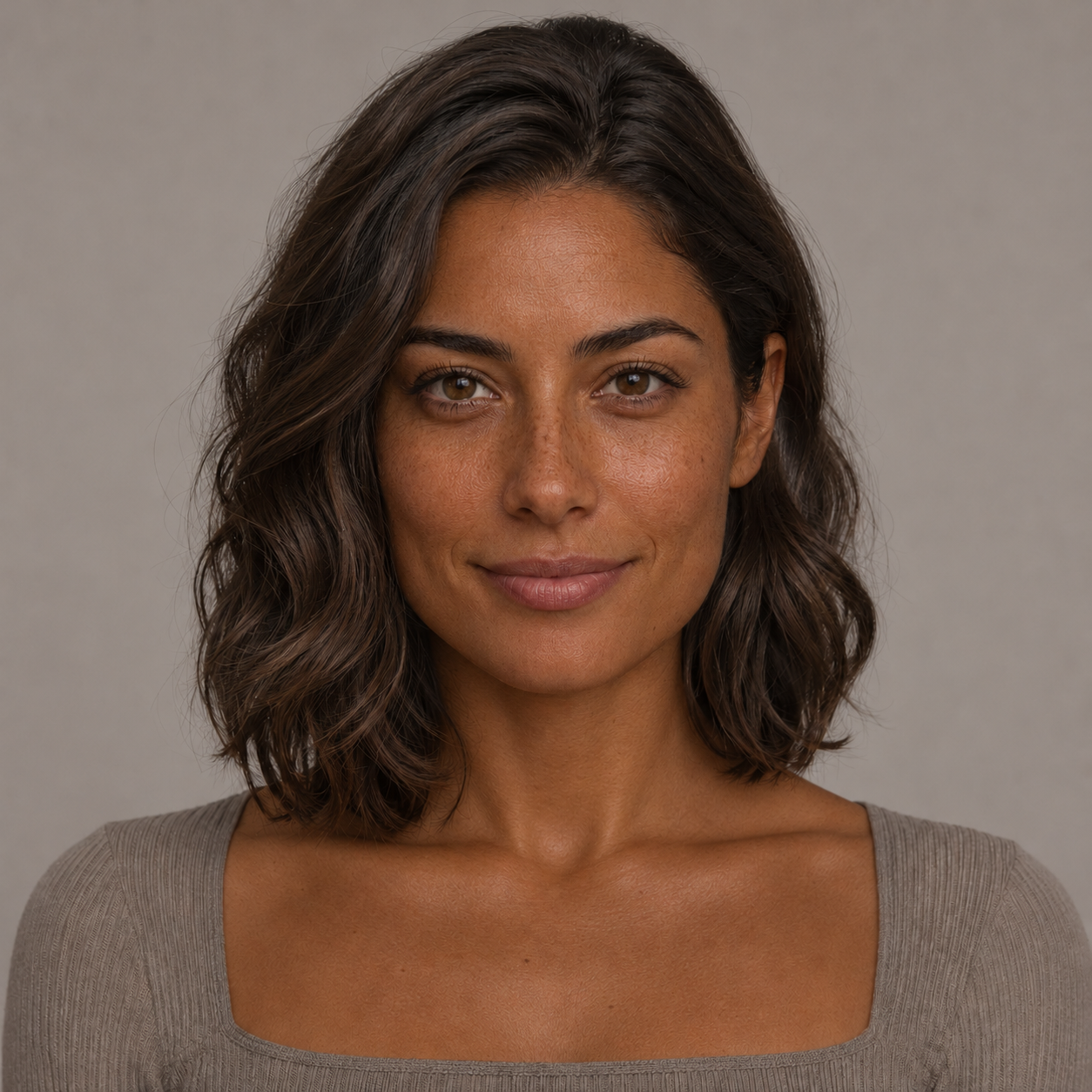
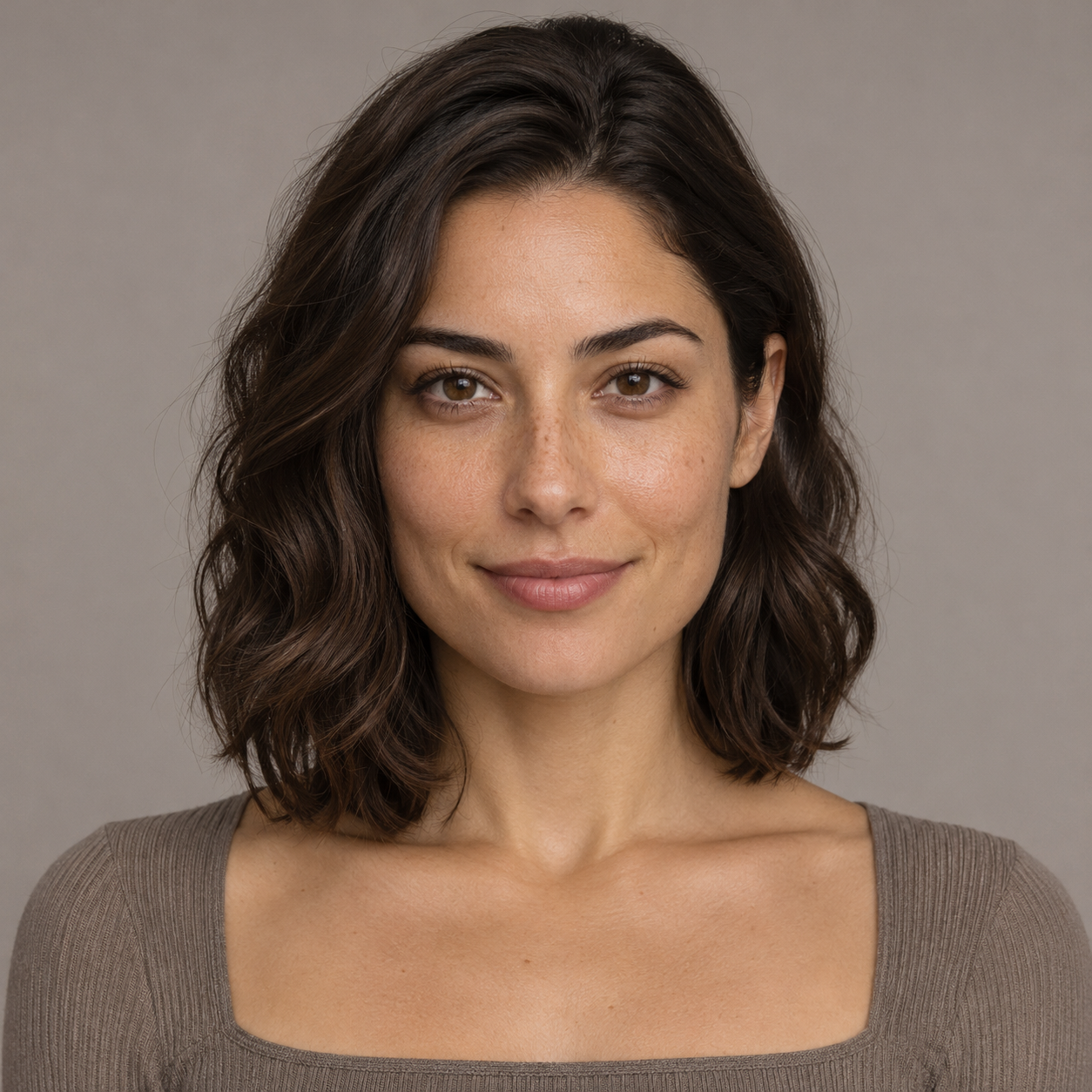
Fix Lighting Casts Fast
Fix green fluorescent, cool overcast, or orange tungsten casts in seconds.
Face & Pore Preservation
Low 0.2–0.4 strength locks eyes, bone structure, freckles, and natural pores.
Free Daily Browser Runs
2 free watermark-free 1K runs daily—no install, no credit card.
24-Hour Auto Expiry
HTTPS transfer for editing only; temporary files auto-expire in 24 hours.
Upload one clear portrait, keep strength low to lock your face, and compare on the wipe slider.
Upload a JPG, PNG, or WEBP portrait up to 24 MB—or scan the QR code from your phone. Sharp front-facing shots separate skin cleanly.
Pick a preset or describe your fix—like removing a cool cast or adding golden warmth. Use 0.2 for cast fixes or 0.4 for deeper tone shifts.
Drag the wipe slider across eyes, jawline, and collar edges to verify natural skin tone, then download watermark-free PNG, JPG, or WEBP.
Neutralize uneven lighting color cast on face, neck, and hands to a balanced natural daylight skin tone. Keep exact facial features, eyes, freckles, skin pores, clothing colors, and background unchanged.Here is what this skin tone changer handles cleanly—and where real photographic limits still apply.
Neutralize Warm or Cool Color Casts
Removes greenish office light, blue shade, or orange indoor casts while keeping white shirts and walls neutral.
Shift Skin Warmth, Depth, and Undertone Smoothly
Warms flat selfies, softens redness, or deepens tone evenly across face, neck, and hands without masked edges.
Even Out Patchy Indoor Shadows & Flash Glare
Balances mismatched face-to-neck lighting from mixed window and ceiling bulbs while keeping natural skin texture.
Keep Clothes, Eyes, and Backgrounds Untouched
Targets skin tone instead of tinting the whole frame like global filters, keeping fabrics and backgrounds accurate.
Cannot Recover Covered Original Pixels
Pixels under thick makeup, sunglasses, hair, or bandages do not exist in the file. AI adjusts visible skin; it cannot recover covered original pixels.
Cannot Rescue Pure-White Clipped Flash Hotspots
When direct flash clips a cheek or forehead to pure white, original pore texture is gone; AI can only blend smooth shading.
Cannot Guess True Tone from Monochrome or Extreme Neon
Black-and-white photos or solid magenta/blue club lighting lack color cues, so results are an estimate rather than true tone recovery.
Not Built for Identity Falsification or Impersonation
Built strictly for photographic color correction and studio consistency—never for forging IDs or impersonating anyone.
Pick the scenario that matches your photo and load its recommended denoising setting in one click.
Mixed office LEDs and warm bulbs make portraits look green or overly orange. A 0.2 pass restores neutral daylight tone without tinting clothes.
Overcast skies leave outdoor selfies flat and pale. Add a subtle golden-hour warmth to face and neck while keeping skies and outfits true.
Keep model skin tone consistent across multi-session lookbooks without shifting garment dye colors—pair with our e-commerce guide for catalog batches.
Remove mild desk-lamp tint or face-to-neck shadow differences on LinkedIn, resume, and team headshots while keeping facial features unchanged.
Generic editors redraw the whole face when you change skin color, shifting eye spacing or smile lines. Our skin color changer keeps changes strictly in lighting and color channels.
Powered by the same conditional engine behind Image to Image AI, you control pixel fidelity on every edit.
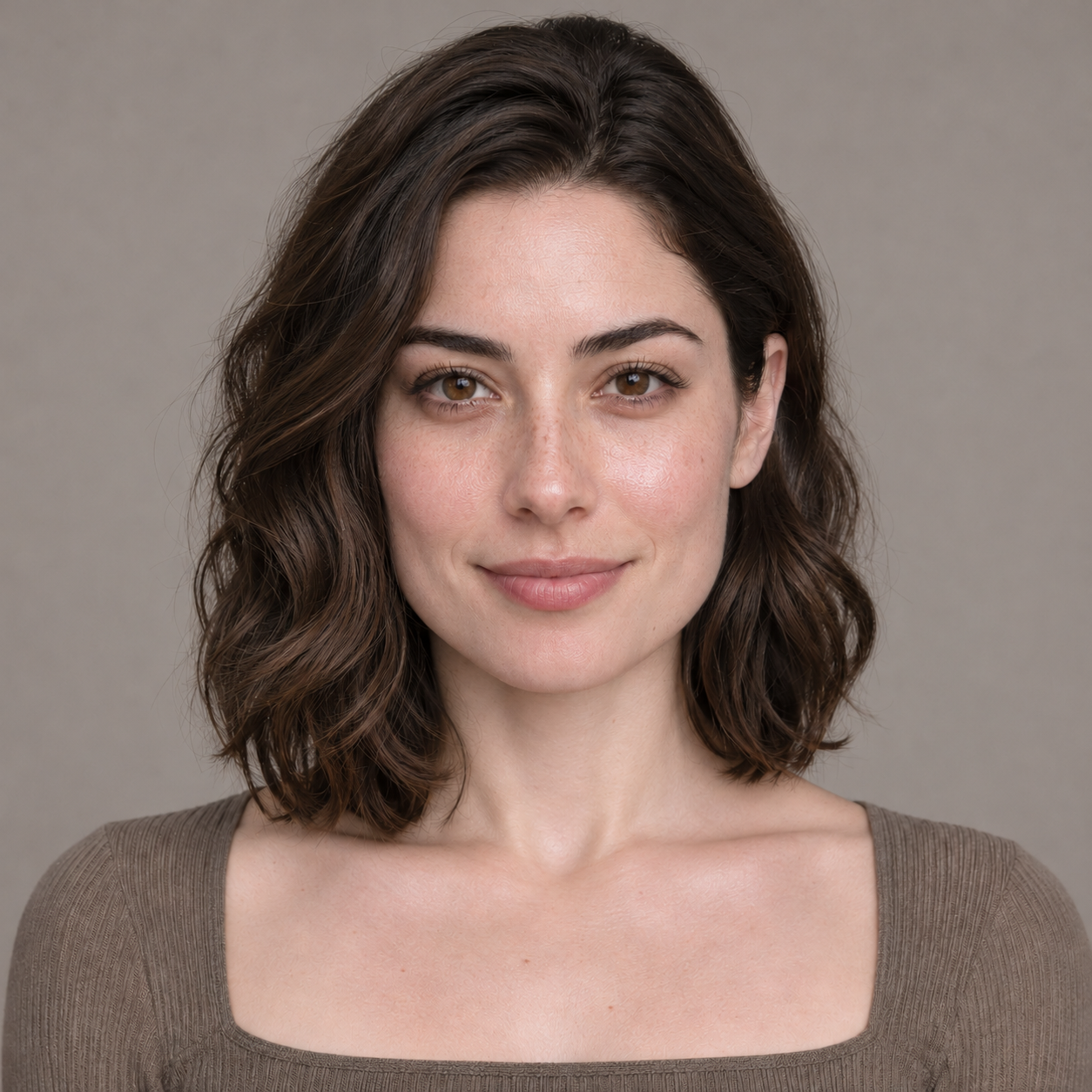
At 0.2 strength, roughly 80% of source pixel geometry stays locked—enough to remove color casts without reshaping eyes, nose, or jawline.
Shifts color balance and undertone while keeping pores, freckles, and natural highlights intact—never plastic beauty blur.
Built-in presets lock facial proportions, gaze, hair strands, and clothing using the same tested rules from our face-preservation guide.
Choose the right skin tone changer for your workflow—quick browser fixes, RAW batch grading, or mobile templates.
| Tool | Editing Method | Best-Fit Scenario | Face & Texture Fidelity | Free Tier & Pricing |
|---|---|---|---|---|
| Image to Image AIBrowser Skin Color Changer | Prompt + 0.2–0.4 conditional AI that isolates skin cast from clothes and backdrops. | Fast cast fixes, warm selfies, and consistent e-commerce model tone with zero install or manual masking. | High at 0.2–0.4; preserves pores, eyes, and facial shape without plastic smoothing. | 2 free watermark-free 1K runs/day (no login); one-time packs from $9.90 (365-day validity). |
| Adobe LightroomPro RAW Color Grading | Manual White Balance, Point Color, HSL sliders, and AI skin masks on RAW files. | Pro photographers batch-grading hundreds of RAW frames on calibrated monitors. | 100% non-generative pixel fidelity; mixed color casts require manual masking skill. | No free desktop tier; requires Creative Cloud subscription (~$11.99/mo+). |
| FotorTemplate & Slider Editor | One-tap filter presets, skin-tone sliders, and beauty brushes on web or mobile. | Casual social edits, quick collages, and users wanting blemish smoothing or design templates. | Moderate—filters can tint outfits and heavy beauty sliders often soften natural pores. | Free tier caps/watermarks HD AI tools; Pro plans start around $8.99/mo. |
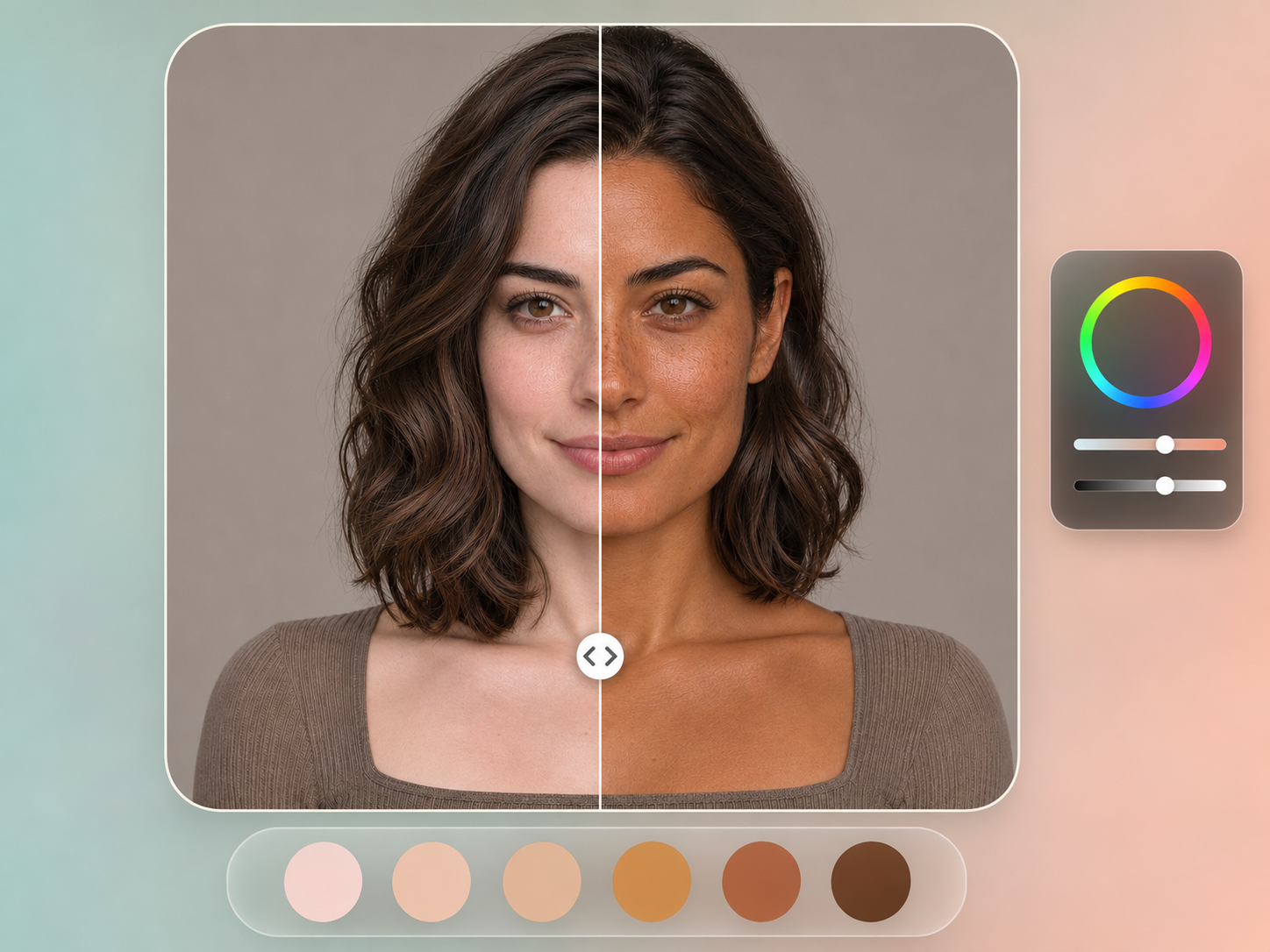
Drag each handle to inspect how our skin color changer shifts only visible skin midtones while keeping eyes, hair, top, and studio backdrop identical.
Shifts medium skin to cool rosy ivory with hair, outfit, and backdrop untouched.
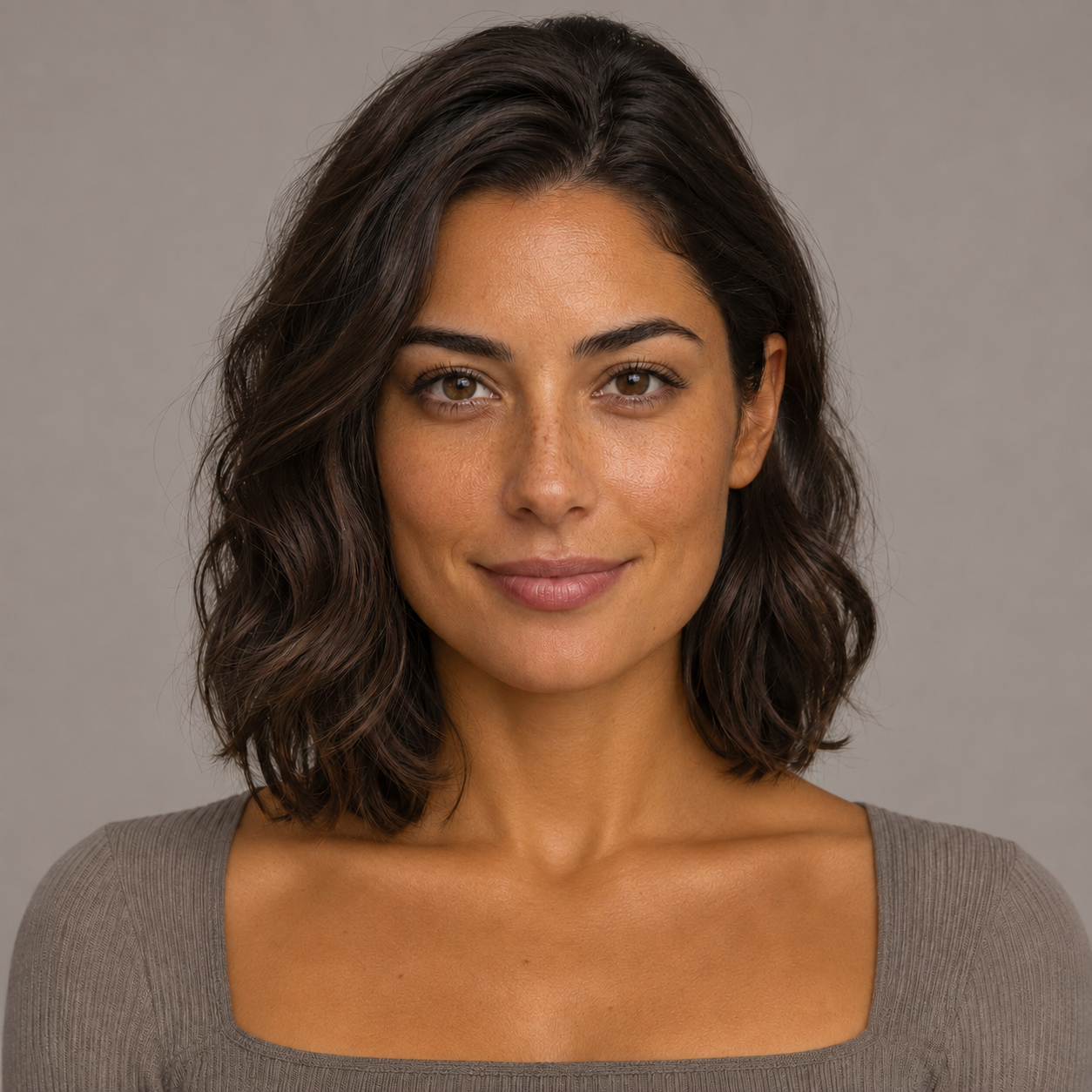
Applies warm golden tan evenly across face, neck, and shoulders while preserving lighting.
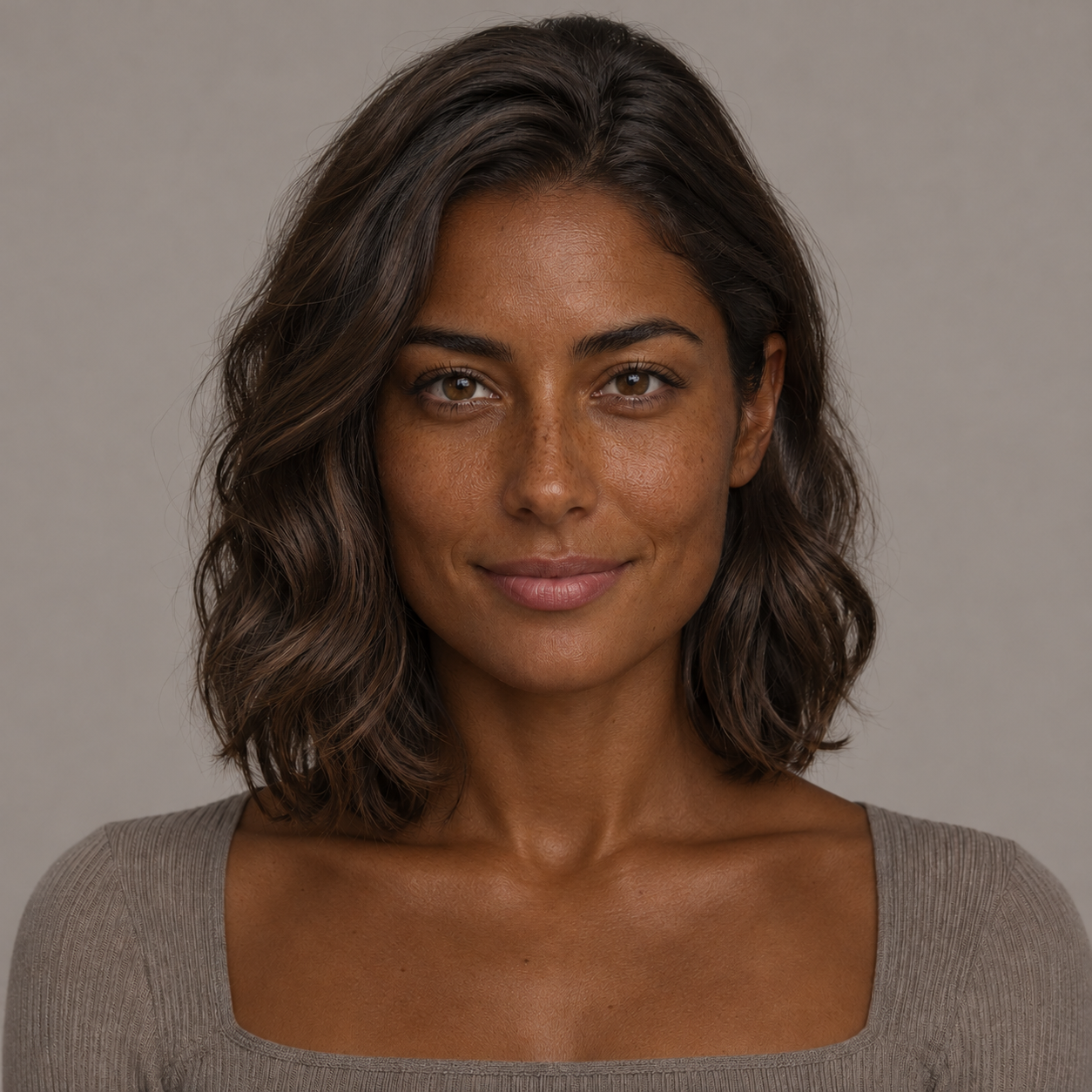
Deepens skin to rich umber while keeping highlights, pores, and facial geometry intact.
Start with 2 free watermark-free 1K Standard runs daily per IP (00:00 UTC reset, no signup or card). For batches or 2K Pro 2.0, one-time credit packs start at $9.90 / 1,000 credits (365-day validity, zero auto-renewal); failed jobs refund automatically.
Clear answers on realism, face lock, free quota, photo quality, speed, formats, commercial rights, and responsible use.